
Employment Hero rostering can do a lot more than show who is working when, especially for businesses with award-based shifts. Set up properly, it shows what each shift will cost before you publish it, sends shifts to your team’s phones, lets staff swap shifts with your approval, and feeds the hours into timesheets and payroll. Set up badly, it builds rosters that look fine but break award rules, and the problem only shows up in the pay run.
Short answer: set up the award first, then the roster. Make sure every employee’s award, classification and employment type is right in payroll, then set up work sites and positions, build roster templates for your regular patterns, check each roster against the award rules before you publish, and use the shift cost shown in the roster to catch problems early.
Start with the award, not the roster
A roster is only as accurate as the pay rules behind it. Before you build your first roster, check that each employee has:
- the right award and classification for the work they do
- the right employment type: full-time, part-time or casual
- for part-time staff, their agreed regular hours recorded in writing, as most awards require
- pay conditions and award rules set up correctly in Employment Hero Payroll
If you are not sure which award applies, the Fair Work Ombudsman’s award tools are the place to start. For complex awards, such as SCHADS, our award interpretation service can set up and test the rules for you. Getting this step right is what makes the shift costs in the roster believable.
Step 1: Turn on Employment Hero rostering and set up work sites and positions
Employment Hero rostering is switched on from the settings menu. Once it is on, add your work sites and the positions at each site, such as barista, kitchen hand, supervisor or support worker. You can set default shift details for each work site, so new shifts start with the right times and breaks.
Match the structure to how you actually run the business. If one person works at two sites, or in two different roles, set that up now. It affects how shifts are costed and reported.
Step 2: Link employees to the positions they can work
Give each employee the positions they are trained and eligible for. This stops a junior employee being rostered into a supervisor shift by mistake, and it means open shifts are only offered to people who can do them.
Step 3: Build Employment Hero roster templates for your regular patterns
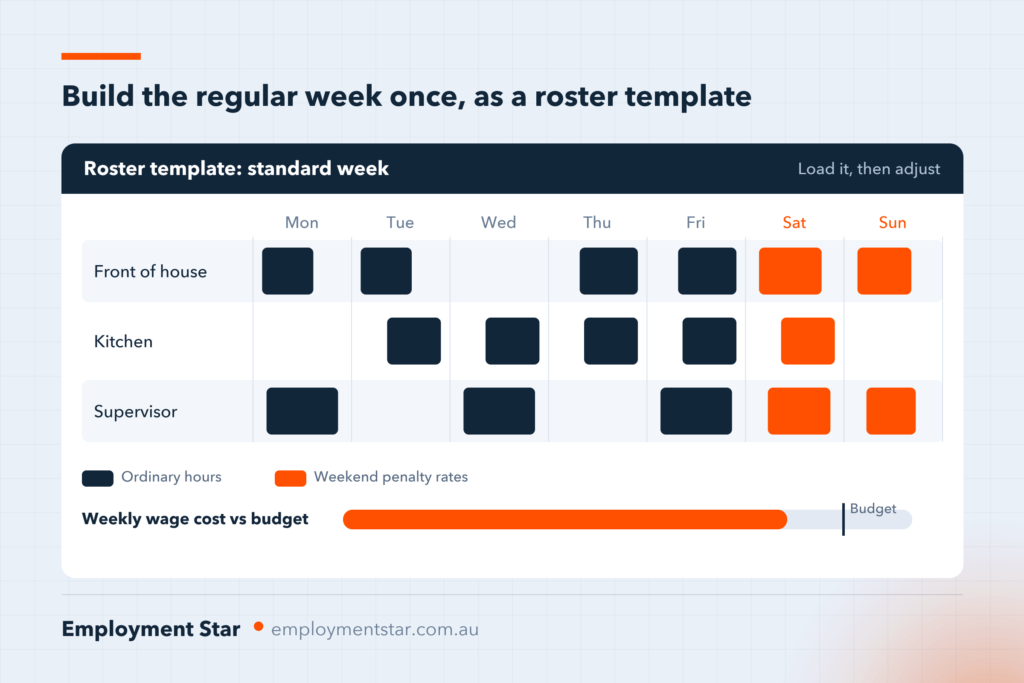
Most businesses have a standard week or fortnight. Build it once as a roster template, then load it each period and adjust for leave, availability and busy days. Templates save time, and they keep the roster consistent from week to week, which matters for part-time employees with agreed regular hours.
Step 4: Check the award rules before you publish
This is where most rostering problems start. Before publishing, check each roster against the rules in the award, for example:
- Minimum engagement: many awards set a minimum number of hours for each shift, especially for casual and part-time staff.
- Breaks: meal and rest breaks, and when they must be taken.
- Time between shifts: a minimum break between finishing one shift and starting the next.
- Ordinary hours and span of hours: the maximum ordinary hours a day or week, and the times of day when ordinary hours can be worked.
- Overtime: when hours above the roster or outside the span become overtime.
- Penalty periods: evening, weekend and public holiday rates.
- Part-time hours: shifts that match the agreed pattern, with any change agreed in writing.
- Junior rates: the right percentage for each age.
Employment Hero can show the cost of each shift in the roster, including penalties, when award rules are set up correctly. Use it. A shift that costs much more than you expected is often a sign it crosses into overtime or a penalty period.
Step 5: Set a roster budget
Set a daily or weekly wage budget for each site, then build the roster against it. Seeing the roster cost before you publish lets you move shifts to avoid unplanned overtime, without cutting anyone’s agreed hours.
Step 6: Publish, and let the app do the notifying

When the roster is ready, publish the shifts. Employees see their shifts in the Employment Hero Work app and receive an email notification when a shift is published for them. Publishing the roster at the same time each week helps staff plan, and it makes it easier to meet any notice periods in your award.
Step 7: Set clear rules for shift swaps and open shifts
Employment Hero lets employees swap shifts that have been assigned to them. Decide your rules before you switch it on:
- Do managers need to approve every swap? For most award-covered businesses, the answer should be yes, so a swap does not push someone into overtime or break the time between shifts.
- Is there a cut-off time for swaps before a shift starts?
- Will you offer open shifts for eligible staff to pick up?
Step 8: Consult before you change regular rosters
Under the Fair Work Act, awards and enterprise agreements must include a term requiring employers to consult employees about changes to their regular roster or ordinary hours of work. Many awards also set a minimum notice period for roster changes. The notice period depends on the award, so check yours before you change a published roster.
Step 9: Connect the roster to timesheets and payroll
The roster is the plan. Timesheets are what actually happened. When employees clock in and out, Employment Hero records the hours as timesheets that managers approve before the pay run. Comparing rostered hours with actual hours each week shows where shifts run over, breaks are missed or overtime is building up. Read our guide to Employment Hero time and attendance for the clock-in options.
Common Employment Hero rostering mistakes
- Building rosters before the award setup is right, so the shift costs are wrong from the start.
- Using one position for everyone, so the roster cannot stop the wrong person being rostered.
- Changing shifts by text message instead of in the roster, so the system and the pay run do not match.
- Ignoring cost warnings in the roster because they look like noise.
- Letting part-time hours drift away from the agreed pattern without a written change.
- Approving swaps without checking overtime and breaks between shifts.
Get your rostering set up properly
Employment Star is a certified Employment Hero partner. We set up rostering with your award rules tested before your first roster is published, and we train your managers to build, cost and publish rosters themselves.
Want rostering set up right the first time?
Talk to us about adding rostering to your Employment Hero HR setup, or book Employment Hero training for your managers from $195 per hour ex-GST. Call 02 7803 7879.
Frequently asked questions
Does Employment Hero rostering calculate award costs?
Yes. Employment Hero can show the cost of each shift in the roster, including penalty rates, when employees’ award rules and pay conditions are set up correctly in payroll. If the setup is wrong, the costs will be wrong too.
Can employees swap shifts in Employment Hero?
Yes. You can let employees swap shifts that are assigned to them, require a manager to approve each swap, and set a cut-off time for swaps before a shift starts.
How much notice do I need to give for a roster change?
It depends on your award or enterprise agreement. Many awards set a minimum notice period, and all awards require you to consult employees about changes to their regular roster or ordinary hours. Check the award that applies to your team.
Can rostered shifts become timesheets?
Yes. When employees clock in and out, Employment Hero records their actual hours as timesheets for managers to approve, and you can compare them with the roster before the pay run.
How do I set up rostering in Employment Hero?
Check each employee’s award, classification and pay conditions in payroll first. Then turn on rostering, add your work sites and positions, link employees to the positions they can work, build roster templates, check each roster against the award before publishing, and publish to the Employment Hero Work app. For a single site this can be set up and tested in a few days.
This article is general information only. Check your award or enterprise agreement, or ask a qualified adviser, before changing rosters.
About Employment Star — We are a certified Employment Hero implementation partner based in Parramatta, NSW, working with small and medium businesses across Australia. We provide Employment Hero HR and payroll setup, HR consulting and training, outsourced HR and outsourced payroll.
Published 17 November 2026 · Last updated 17 November 2026